CS1302: 2026-01-06
INTRODUCTION TO PROGRAMMING WITH C++ AND THE QUINCY IDE

The Software Engineering Cycle:

  1. specification
  2. design
  3. documentation, implementation, and testing
  4. The result is an executable program.

The Quincy IDE:

  1. Download the Integrated Development Environment (from https://quincy.codecutter.org)
  2. and install it.
  3. Quincy is an Integrated Development Environment (IDE) for programming in C++.
  4. Designed specifically for beginning programmers.
  5. Primary components:
  6. We'll also make desktop shortcuts to:

Potential topics for today: (to be explored through Quincy):

  1. A first standalone C++ program: hello.cpp
  2. Writing and running the program file in Quincy:
  3. Program formatting
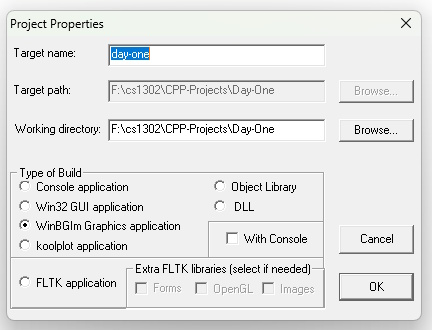
  4. A first WinBGIm graphics project: day-one.cpp
  5. Writing and running the graphics project in Quincy
  6. Writing functions within in a new project: snowmen.cpp
  7. Writing and running the snowmen graphics project in Quincy
  8. Reading the WinBGIm documentation
  9. If time permits: an exercise in drawing stars.

Tasks before Next Lecture:

Play with the Quincy IDE and the WinBGIm graphics library for an hour or two. You can spend some of the time together, but make sure that you also have some alone time with the software. See what you can draw in the main program with no newly defined functions. And define some functions to draw more complex shapes based on what we've learned so far.

If we haven't yet done the star-drawing exercise, you may struggle with more complex shapes. Don't worry about that. We'll get to it soon.